

Creating art and images from simple sketches involves a combination of traditional artistic skills and digital tools. Here's a step-by-step guide on how to turn a simple sketch into a more detailed and visually appealing piece of art using MarketingBlocks.
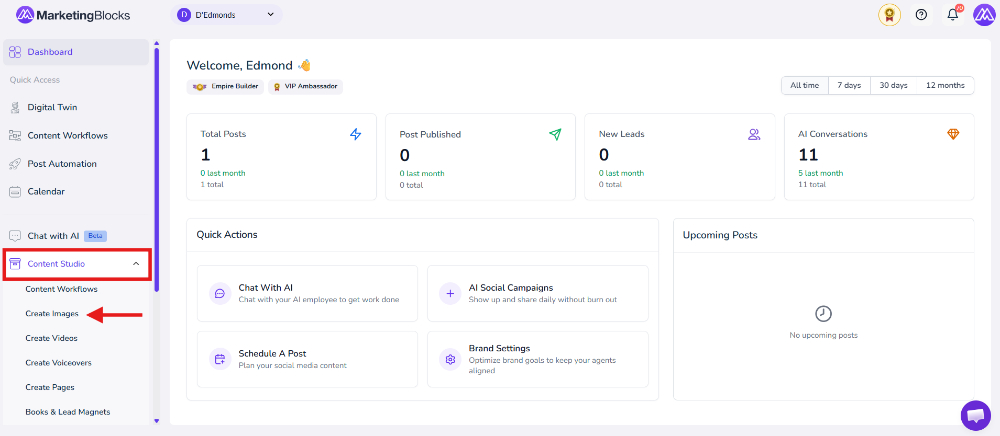
Step 1: From your preferred project, click "Content Studio"
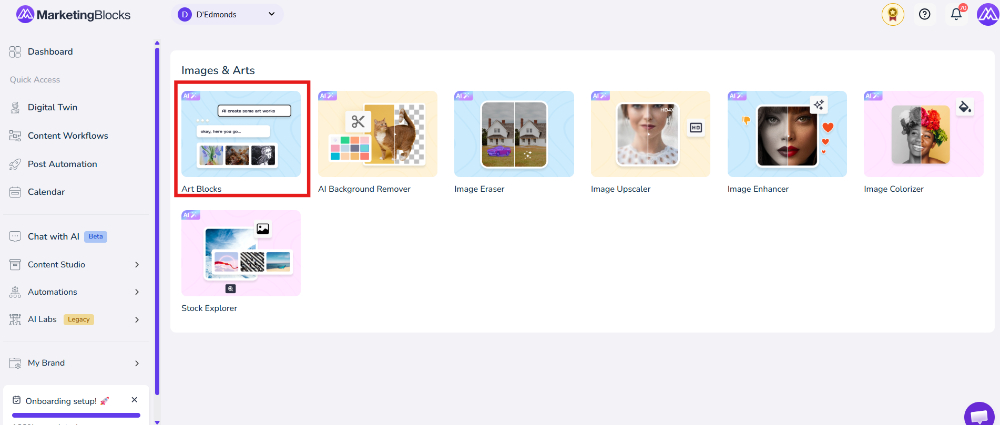
- Then click Create Images
- Click "ArtBlocks."
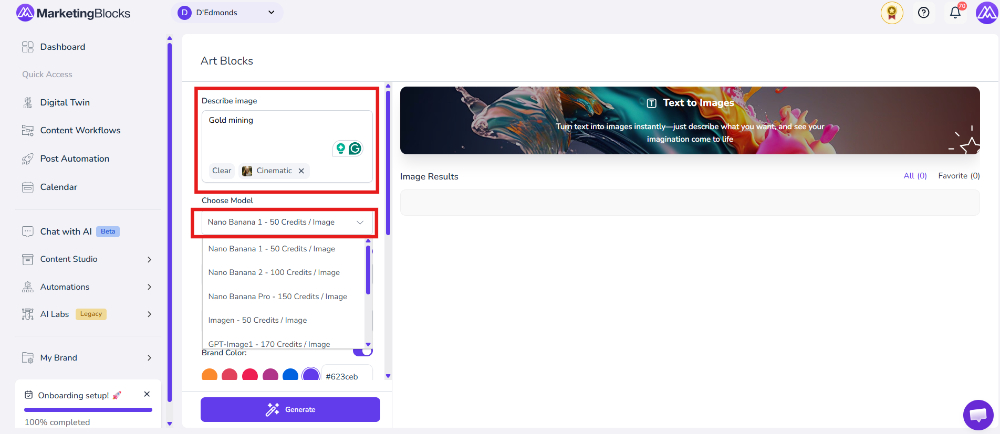
Step 2: Describe your image, and fill in all the requirements. Then, click "Generate"
Step 3: And here is the result.
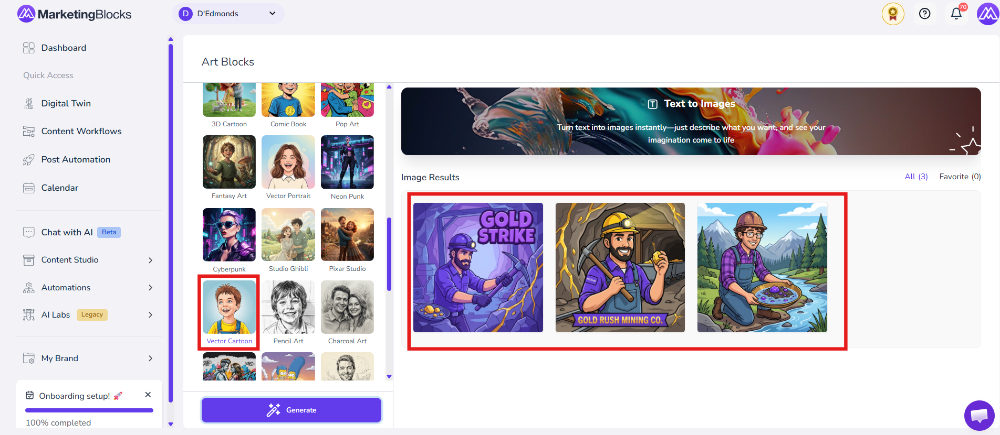
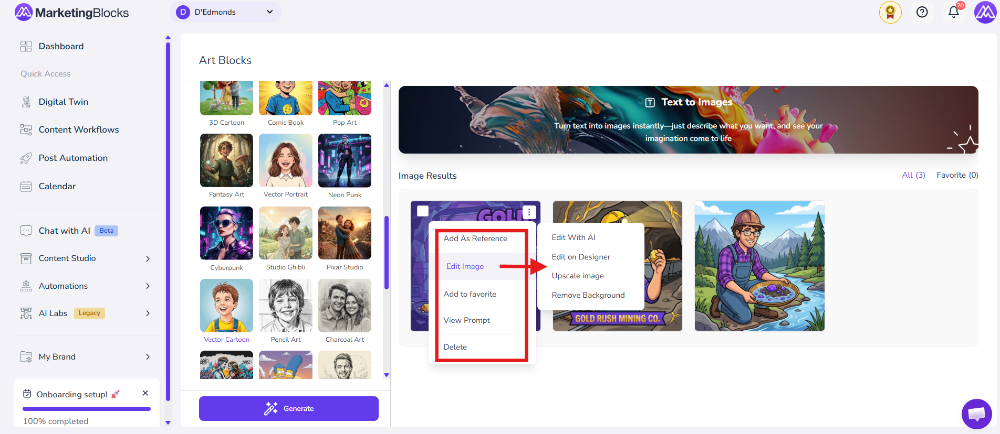
Step 4: You can edit your image further and view the prompt used
That's it!
If you need further assistance, kindly use the chat widget at the bottom-right corner of this page or email our support desk (support@marketingblocks.ai) for prompt service.
Thank you!