

Chat With AI
Chat With AI is the ultimate Chat-AI Assistant that creates all your marketing assets in minutes. It’s like ChatGPT but far better and more powerful.
Beyond just creating text-based content, it designs eye-catching graphics, builds beautiful websites, designs logos, creates attention-grabbing videos, generates human-sounding, emotion-filled voiceovers, and much more.
With this, you get access to the Swiss Army knife of digital marketing at your beck and call.
As the world's first and only publicly available multimodal chatbot assistant, it accepts and understands text, images, and voice input for seamless communication and collaboration.
But that's not all.
Chat With AI also comes with over 200 professionally crafted and tested prompt templates that can help even a novice achieve stellar results on their first try.
Unlike most Chat AI technologies, Chat is up-to-date and can source information from the internet.
Now, let’s go on a quick walkthrough…
Let’s proceed!
Step 1: From your dashboard, kindly click "Chat with AI"
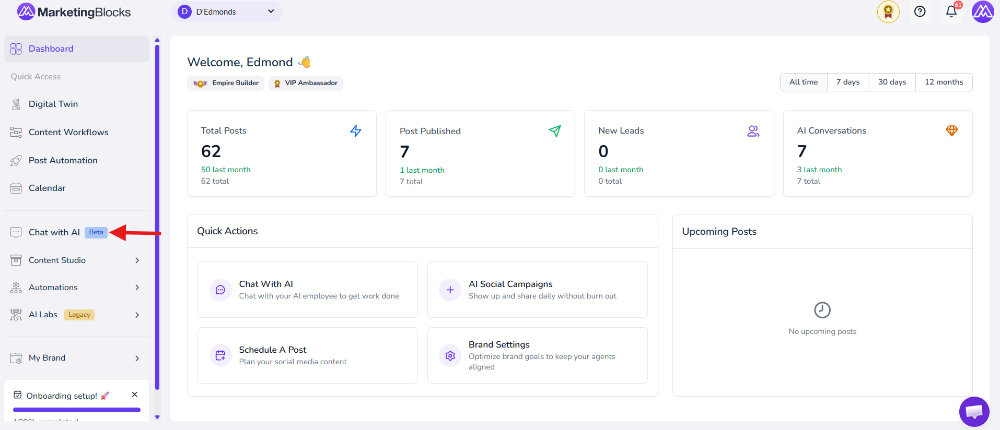
Step 2: Before we go further, there are three parts to using Chat with AI. We have the Chat History, Start New Chat, and Chat Templates.
“Chat history.” This is where you find all your previous conversations with Chat with AI.
“Start new chat.” Try one of our over 200 professionally crafted and tested prompt templates that can help even a novice get stellar results on their first try.
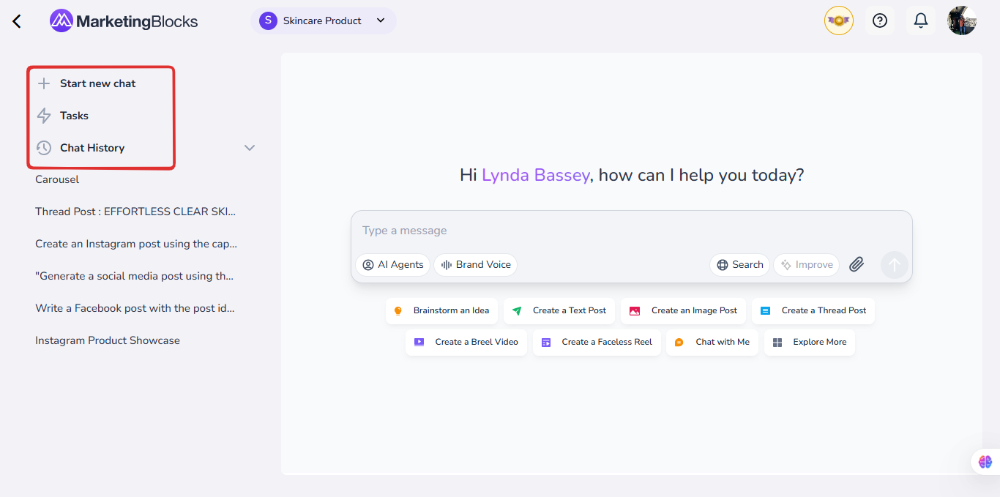
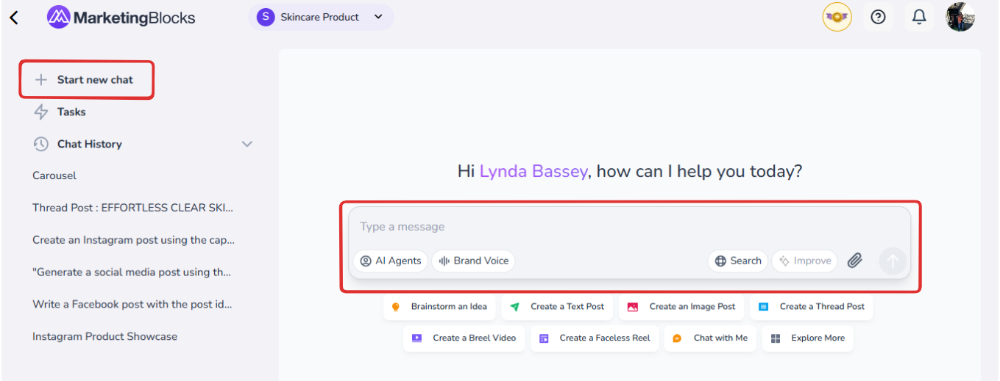
Step 3: To start a new conversation, click “Start New Chat” and a list of options will be presented to you. A box will appear below the options to enter your question.
Step 4: Let’s engage Chat with AI. Type your question, and click on the “Enter Key”. As shown below, it generates wonderful scripts for you.
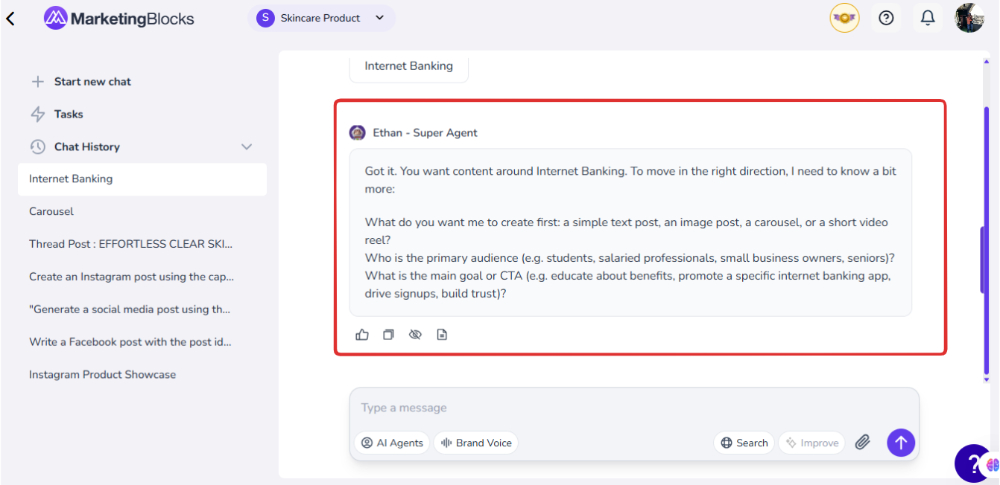
Step 5: Be specific about your inquiry or request. Then click the Enter key.
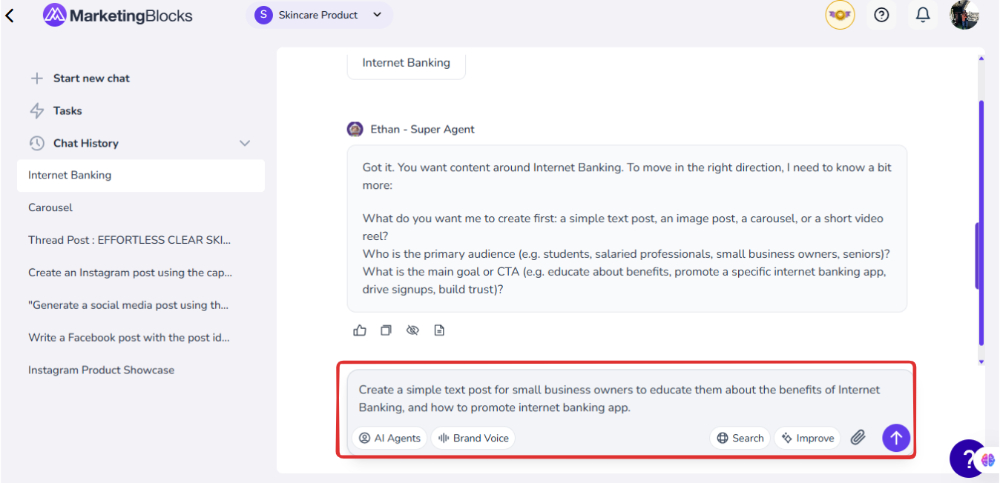
Step 6: The text will be generated. You can turn it into an Image Post.
N/B: Wait for a few seconds for the post to generate.
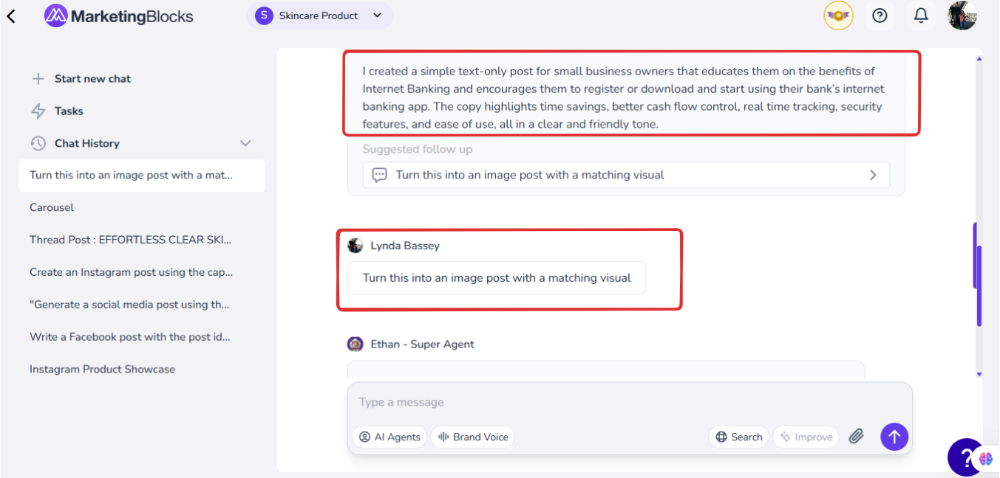
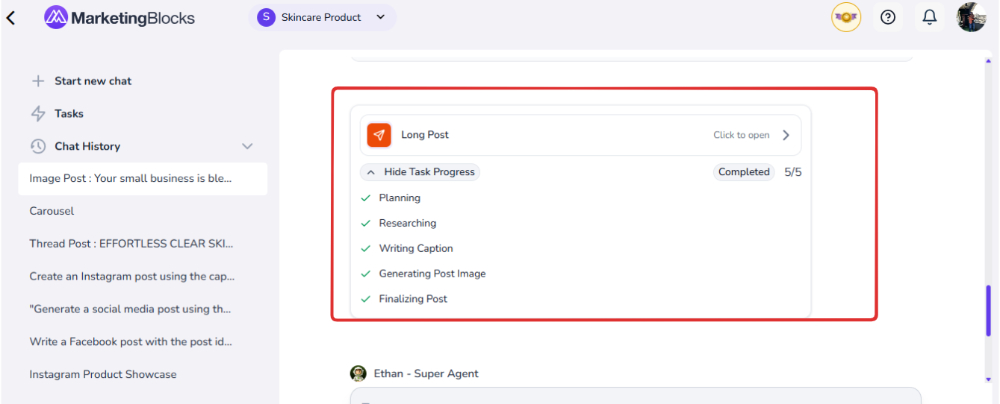
Step 7: Your Post is ready!
- Click to open it.
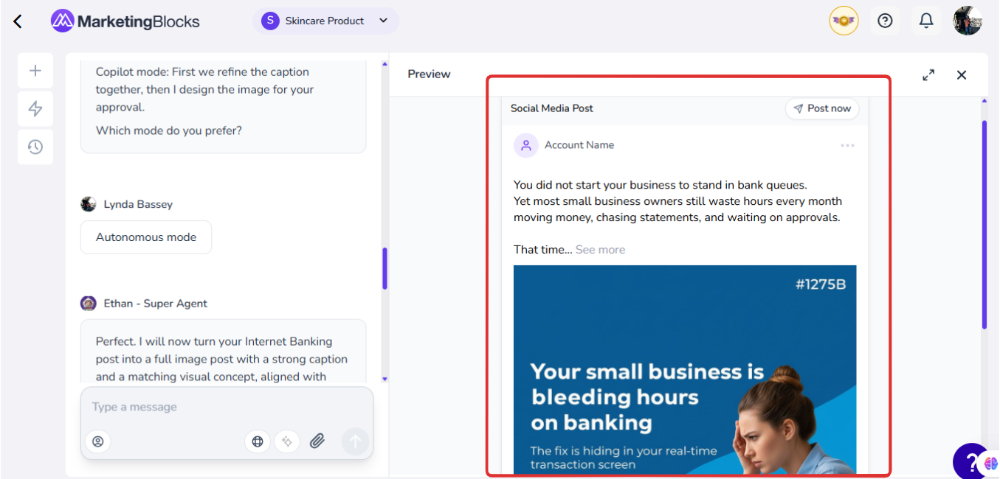
That's it!
If you need further assistance, kindly use the chat widget at the bottom-right corner of this page or email our support desk (support@marketingblocks.ai) for prompt service.
Thank you!