

This article walks you through the steps to connect your Facebook account
Below are the steps:
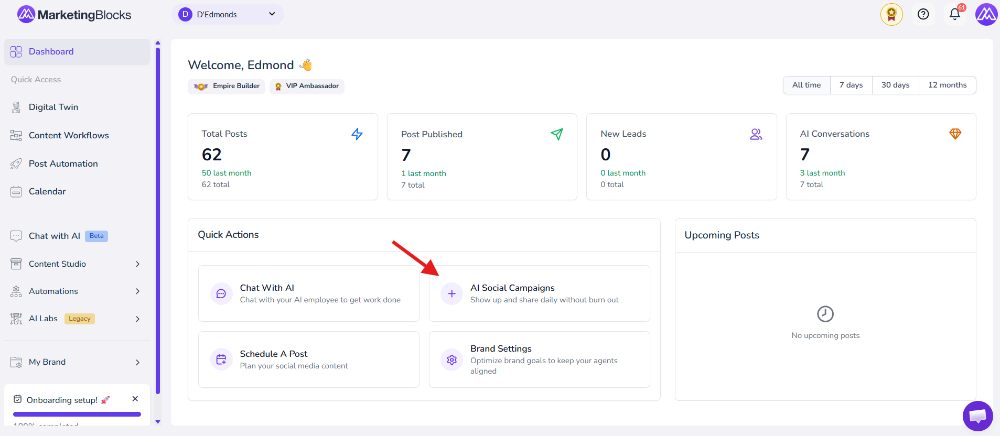
Step 1: From your dashboard, click " Post Automation "
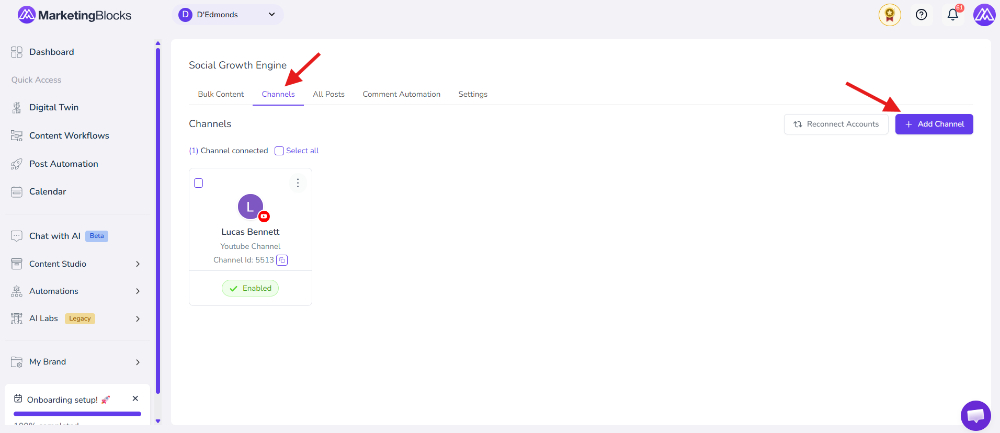
Step 2: Click "Channels" and add a channel
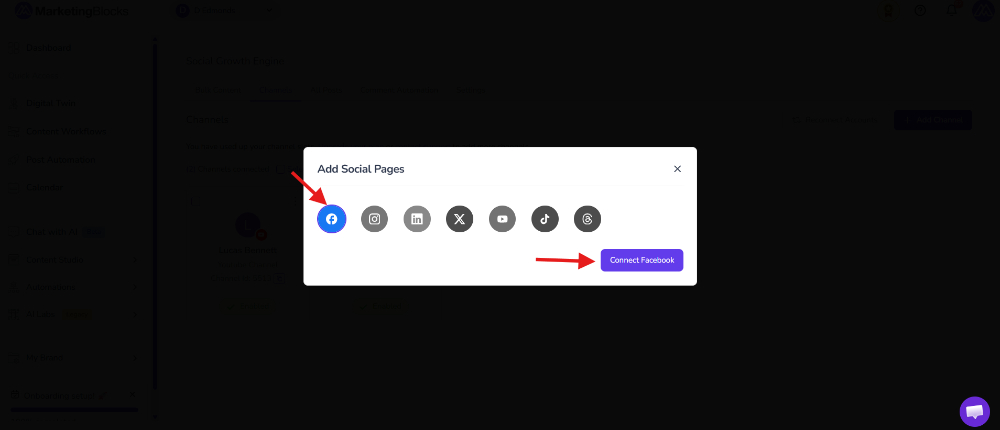
Step 3: Notice a pop-up to add a Social Page; simply select the First option, which is the Facebook Icon, and click Connect Facebook
Step 4: To connect a Facebook page to Social Spark, log in to Facebook in the same browser, select the desired page, and click "Continue."

Step 5: Click on the preferred Page and proceed by clicking on Continue
 Step 6: Review the MarketingBlocks access request and click on Save

Step 7: Click on Got it to proceed

Step 8: You can confirm again by clicking on Channels to see if it is connected
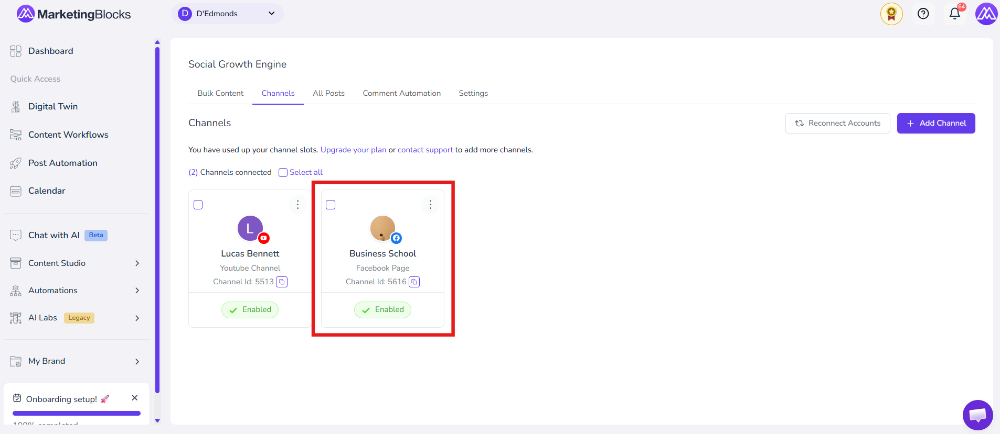
That's it!
If you need further assistance, kindly use the chat widget at the bottom-right corner of this page or email our support desk (support@marketingblocks.ai) for prompt assistance.
Thank you!